
How to Operate a POS Machine Perfectly for High Daily Profits (2026)
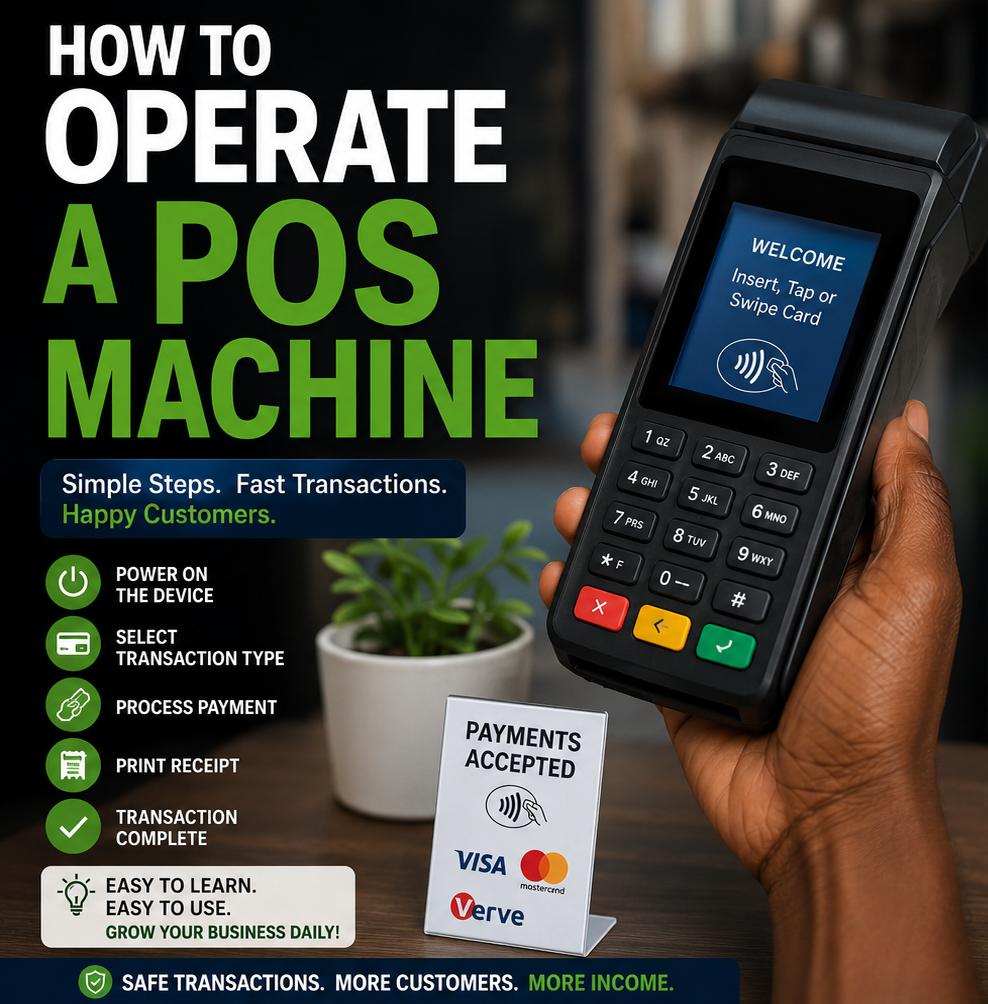
Learning exactly how to operate a POS machine professionally has quickly become one of the most profitable technical skills an entrepreneur can acquire in the local neighborhood market today. As cash handling models evolve, these portable financial tech terminals serve as the primary link between major commercial banks and everyday consumer ecosystems. Whether you are deployment-ready with an Android-powered smart terminal or utilizing a classic hardware button layout, running the terminal seamlessly ensures you can lock in a stable daily income stream from transaction processing fees. However, true operational mastery goes way beyond just sliding an automated debit card through a terminal slot.
Abeg, make we look closely at reality: a single technical mistake, a mistyped customer withdrawal figure, or a delayed transaction response can wipe out your whole profit margin for the weekend. Money matter no be play play! That is why understanding the interface pathways, handling network glitches calmly, and configuring your secure digital wallet structure properly is vital. If you want to prevent unnecessary customer arguments, avoid severe financial fraud traps, and run your neighborhood payment desk like a certified financial expert, this comprehensive guide on how to operate a POS machine will lay out the precise blueprints for terminal success.
Table of Contents
1. Initial Terminal Setup on How to Operate a POS Machine
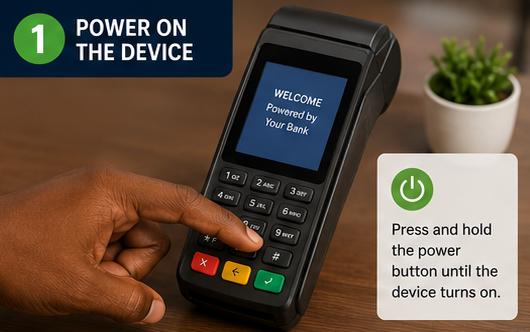
Before you accept a customer’s debit card at your counter, your terminal hardware must be completely synchronized with your partner agency’s main network servers. Turn on your machine by pressing and holding the primary power button until the screen lights up brightly. Once booted, your very first step when mastering how to operate a POS machine is to check your internet connection status icon at the top of the interface screen, whether it is running on a local SIM card data profile or connected via an external Wi-Fi router. A weak data connection causes immediate transaction processing timeouts, which can leave your client’s funds temporarily hanging in transit.
Every single morning when you set up your workspace, execute an operation known as a “Parameters Download” or “End of Day” reset through your terminal’s main settings console. This routine update refreshes your terminal’s internal software, pulls the latest security configuration keys from the clearinghouse, and synchronizes your data balances perfectly. Skip this quick step, and you might notice your machine throwing weird error codes when processing standard local debit cards. Keeping your software completely updated is the simplest way to prevent transaction bottlenecks and keep your business flowing efficiently.
To deepen your knowledge on broader financial operations and compliant banking definitions across regional ecosystems, you can cross-check official transaction policies updated on the Central Bank of Nigeria platform. Aligning your routine business practices with standard national guidelines keeps your agency platform secure and running smoothly without unexpected system blocks or technical account audits from your merchant providers.
2. Processing Cash Withdrawals and Handling Declined Alerts
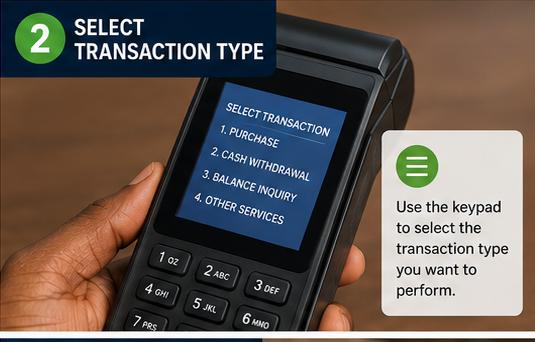
Processing standard cash withdrawals is the primary driver of foot traffic to local payment kiosks. To do this properly while discovering how to operate a POS machine efficiently, open the “Withdrawal” module on your interface menu, input the exact amount the customer wants, and double-check your screen numbers before handing the terminal over to the customer. Let the customer insert their secure debit card and type in their secret four-digit PIN code privately. Never look at a customer’s PIN code! Once authorized, the terminal communicates directly with the issuing bank’s servers to approve or decline the transaction based on available account funds.
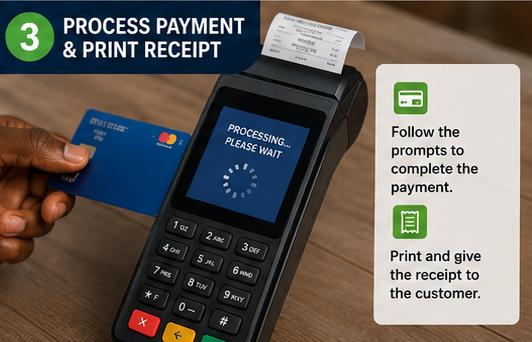
If the transaction is successful, the machine’s internal thermal printer will generate two separate paper receipts. Always keep the first copy (the merchant copy) filed safely inside your record box, and pass the second copy over to your customer along with their physical cash. If the machine prints out a “Declined” or “Failed” status slip but the customer insists they received an immediate debit alert on their mobile phone, do not give them any cash. Keep that failed slip as your absolute physical proof; the customer’s bank will automatically reverse the pending funds within twenty-four to forty-eight hours.
For operators looking to build a multi-channel business layout to run alongside cash withdrawals, exploring global product logistics is an excellent move. Take a look at our complete master guide on building a lucrative mini-importation business in nigeria to discover how you can utilize your daily cash profits to buy high-margin tech accessories directly from overseas manufacturers, doubling your retail reach effortlessly.
3. Executing Fund Transfers and Utility Bill Settlements
Beyond simple card withdrawals, master operators maximize their daily revenue by executing direct third-party fund transfers and handling neighborhood utility bill settlements. When a customer walks up to your counter with cash and asks you to send money to a specific account, open the “Transfer” tab on your system. Understanding how to operate a POS machine configuration layout allows you to carefully enter the destination bank name and the account digits. Always wait a few seconds for the system to fetch and display the recipient’s full legal name on your screen before hitting the final submit button. Confirming the name with the customer first prevents painful transaction mistakes.
Once you verify the recipient’s identity, input your secret agent transaction PIN to authorize the wallet transfer from your mobile dashboard. The system will immediately issue a digital receipt confirming the successful transfer. You can easily duplicate this process to settle local electricity tokens, renew subscription TV packages, or top up bulk internet data plans. Diversifying into utility payments keeps your station active and highly profitable even during periods when physical cash availability drops across local bank branches.
To help organize your daily business records and track micro-commissions professionally, you can explore the business development templates provided by SMEDAN. Keeping tidy, structured records allows you to see exactly which utility services yield the highest profit margins, helping you allocate your working capital intelligently to secure the fastest business growth.
4. Handling Network Downtime when Learning How to Operate a POS Machine
Let’s talk facts: network downtime is an unavoidable reality in the digital payments space. When a transaction gets interrupted halfway due to a sudden network drop, the terminal might stall without printing a physical receipt. In these situations, knowing how to operate a POS machine history directory becomes a lifesaver. Look up your “Transaction History” or “Log” menu right away to check the actual terminal status of that specific reference code. If the log displays the status as pending or broken, do not guess the outcome. Let the customer know the system is waiting for feedback, and do not hand out cash until the status updates to a definitive success.
If a true disputed debit occurs, provide the customer with a printout of the failed transaction ticket containing the unique RRN tracking number. Advise them to visit their bank’s customer care team or log a formal ticket on their banking app. Maintaining a professional, calm attitude during network hiccups helps de-escalate tension at your counter, building deep community trust and proving that your payment station operates with high professional integrity.
5. Security Hygiene and Preventing Local POS Scams
Protecting your business from local payment scams is just as important as learning how to operate a POS machine on a technical level. Fake credit alerts are a common trap in this business. Fraudsters will often try to show you a well-designed SMS or a fabricated transfer receipt screenshot on their smartphone to claim they sent you funds. Never rely on a customer’s phone screen for proof. Always verify your own agent wallet balance directly on your terminal or app dashboard to confirm the money has landed safely before handing over any cash.
Additionally, keep your terminal hardware physically close to you and out of reach of strangers. Watch out for malicious tactics where individuals might try to switch your active machine with a dead unit while your attention is turned away. Clean your terminal screen regularly, replace your thermal paper rolls before they run out completely, and keep your battery fully charged to ensure you can run your neighborhood hub smoothly without any unexpected operational pauses.
The Great Terminal Debate: Traditional POS vs Android Smart Terminals
Selecting your primary hardware setup requires weighing up-front equipment costs against long-term operational convenience. Many traditional operators prefer classic button-style terminal setups because they feature incredibly durable batteries, survive drops on rough ground, and focus purely on processing core transactions without any unnecessary application background lag.
On the other side of the counter, modern smart terminal advocates argue that Android touch-screen terminals are vastly superior when analyzing how to operate a POS machine framework because they feature intuitive interfaces, generate clean digital receipts, and let you process utility bills and manage inventory from a single, unified device.
Over to you in the comment section: When looking at everyday street use, do you believe traditional button terminals are still the most reliable choice for a busy workspace, or have touch-screen Android systems completely taken over the market? Have you ever run into a tricky fake alert situation at your desk? Drop your unvarnished experiences, share your warnings, and let’s get the debate started below! Let’s talk!